A missing tag in an application can originate in the reader setup, label, mounting or data handling. Save the current configuration and record the symptom before changing one variable at a time.
1. Classify the symptom
- No tags appear: begin with reader connection, inventory start conditions and the antenna path.
- Some tags disappear: compare individual samples before restoring density, mounting and movement.
- The reader sees an EPC but the application does not: inspect reporting, filters and identity mapping.
- Inventory works but another operation fails: isolate the requested memory operation.
Keep raw tag identifiers and errors; an empty business screen alone does not locate the fault.
2. Confirm protocol and region
Check that the label and reader support the intended UHF protocol; an NFC phone is a different reading system. GS1 Gen2 documentation identifies the relevant UHF air interface.
Confirm the approved reader country configuration and suitable label tuning with the suppliers. Use the frequency checklist for deployment planning. Do not select another region or a generic maximum-power setting as a troubleshooting shortcut.
3. Establish a single-tag baseline
Use one compatible sample in a repeatable position and the reader maker’s inventory tool. Follow the label supplier’s test mounting instructions: keep ordinary inlays away from metal, and use the specified mounting surface for on-metal tags. Remove nearby labels from this test. Confirm that the reader is connected and inventory actually starts. Record the enabled antenna port, approved power setting, trigger and test duration.
Use basic EPC inventory first, without requesting additional memory. Photograph the arrangement so another operator can repeat it.
4. Check the antenna path and software
For external antennas, check the specified antenna, cable, connectors and selected port. Follow the equipment manual when inspecting or reconnecting hardware.
Zebra’s configuration guide separates triggers, filters, queries and reporting. Their names and behavior depend on the equipment. Save settings before testing a simpler configuration.
Compare raw inventory with downstream output. Reader selection filters can restrict participating tags; application search, duplicate suppression or identity rules can hide reported records. Zebra’s inventory guide shows how search and reporting affect its displayed list.
5. Run a four-way comparison
Use a known-working, compatible tag and a second confirmed reader-and-antenna setup. Repeat the same geometry and settings where supported.
| Sample | Current setup | Confirmed setup |
|---|---|---|
| Known-working tag | Record EPC or failure | Confirm the baseline |
| Problem tag | Record EPC or failure | Compare with the baseline |
If both tags fail only on the current setup, investigate that system first. If one sample fails on both, examine its construction and damage. These observations narrow the investigation; repeat with more samples before blaming a batch.
Once isolated reading works, restore the actual item and workflow incrementally. For mounting failures, consult the read-range guide and on-metal labels.
6. Separate inventory from memory access
For a failing read or write, verify the selected EPC, supported memory bank, address, length and access settings against the chip and reader documentation. Zebra’s read/write guide illustrates these separate parameters. Use approved rewritable samples for write trials and retain the exact error. Printer encoding failures need the printer checklist.
7. Prepare the engineering brief
Include reader and firmware, country configuration, antenna/port/cable, settings, SKU and lot, item photos, raw EPC results, errors and comparison outcomes. Keep access credentials out of the inquiry.
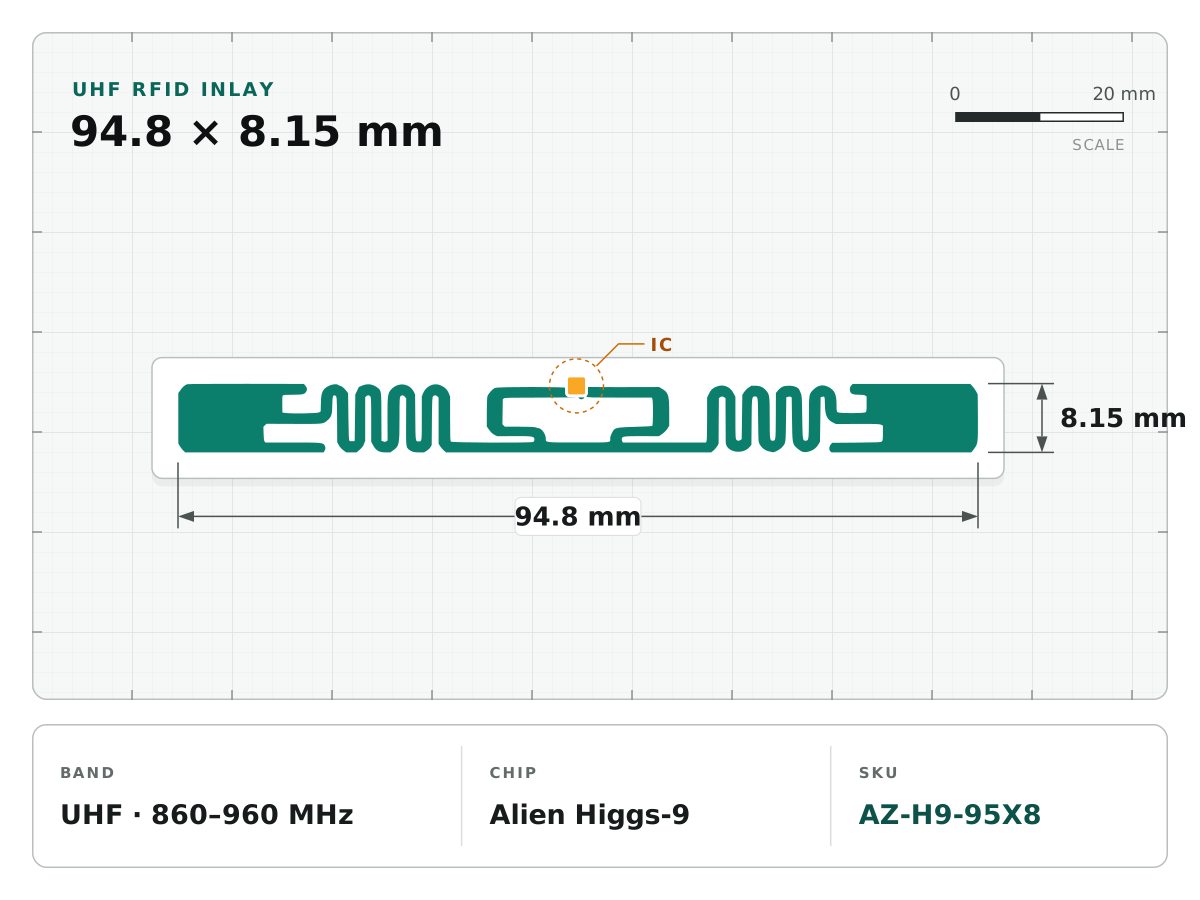
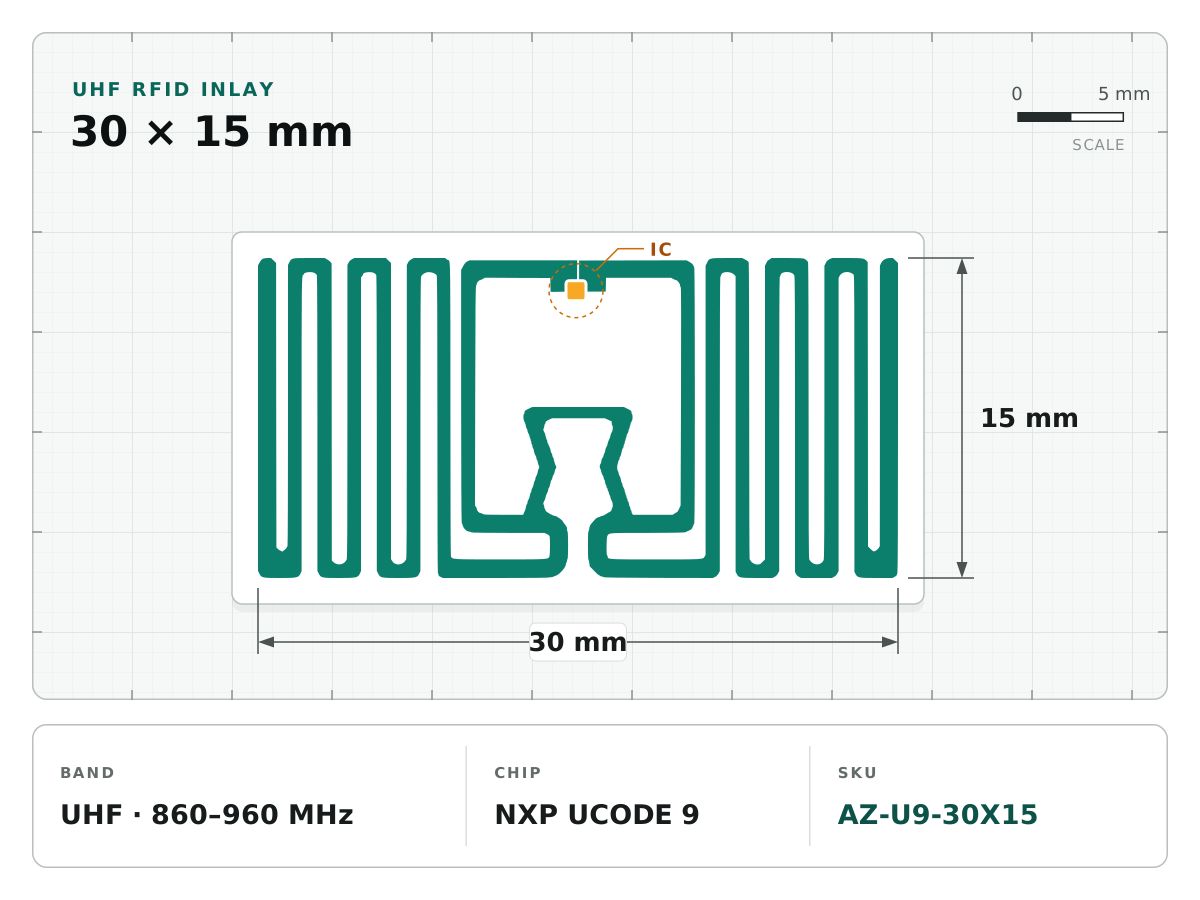
For a new sample shortlist, UCODE 9 30 × 15 mm and Higgs-9 94.8 × 8.15 mm offer different antenna footprints to evaluate. Confirm construction, available space and on-item performance. Send your records to Antenza engineering to discuss suitable candidates and a repeatable sample test.